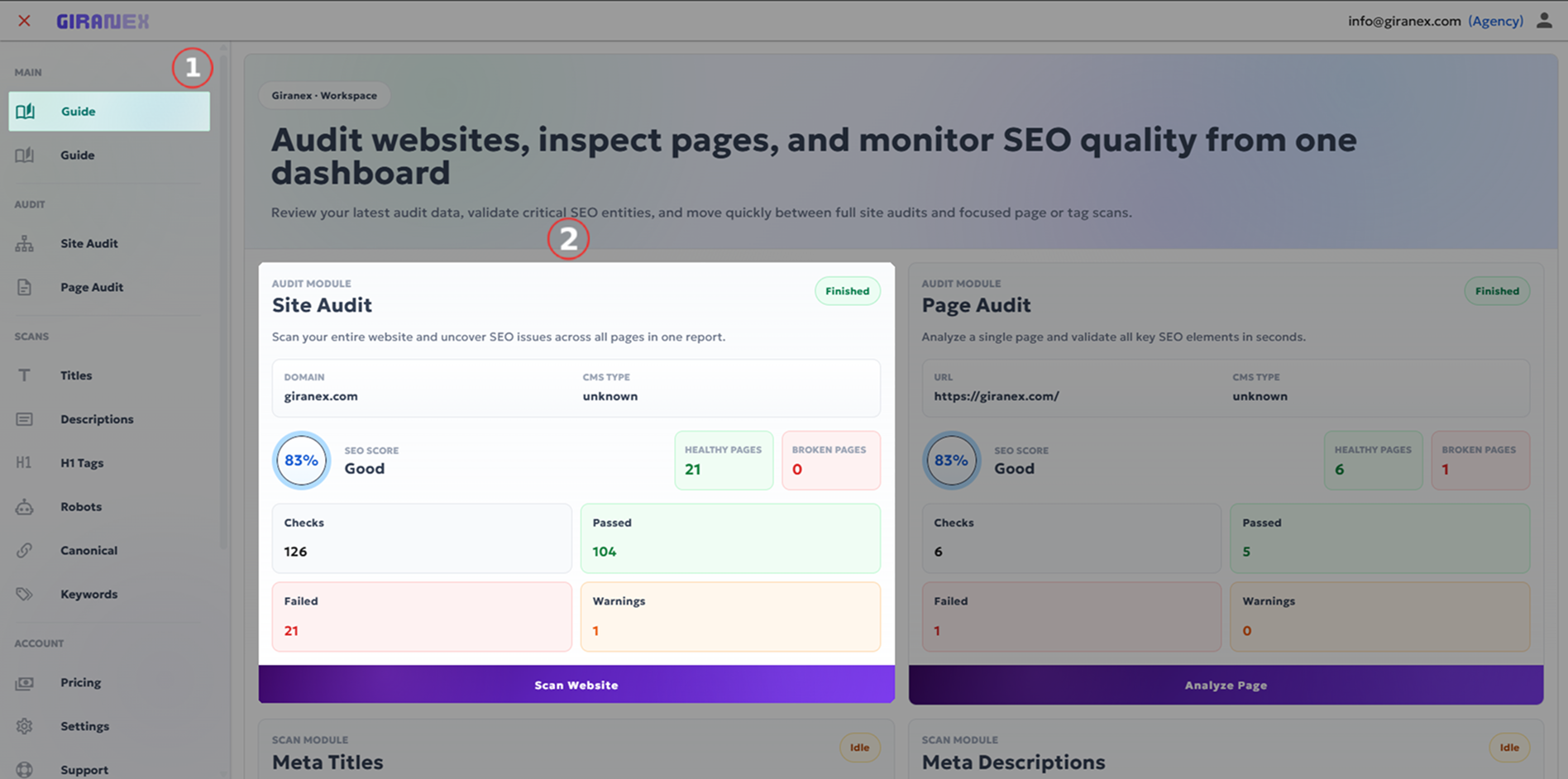
Giranex · How To Use
How to use Giranex platform
Learn how to audit websites and monitor results through the dashboard using a simple step-by-step workflow.
01
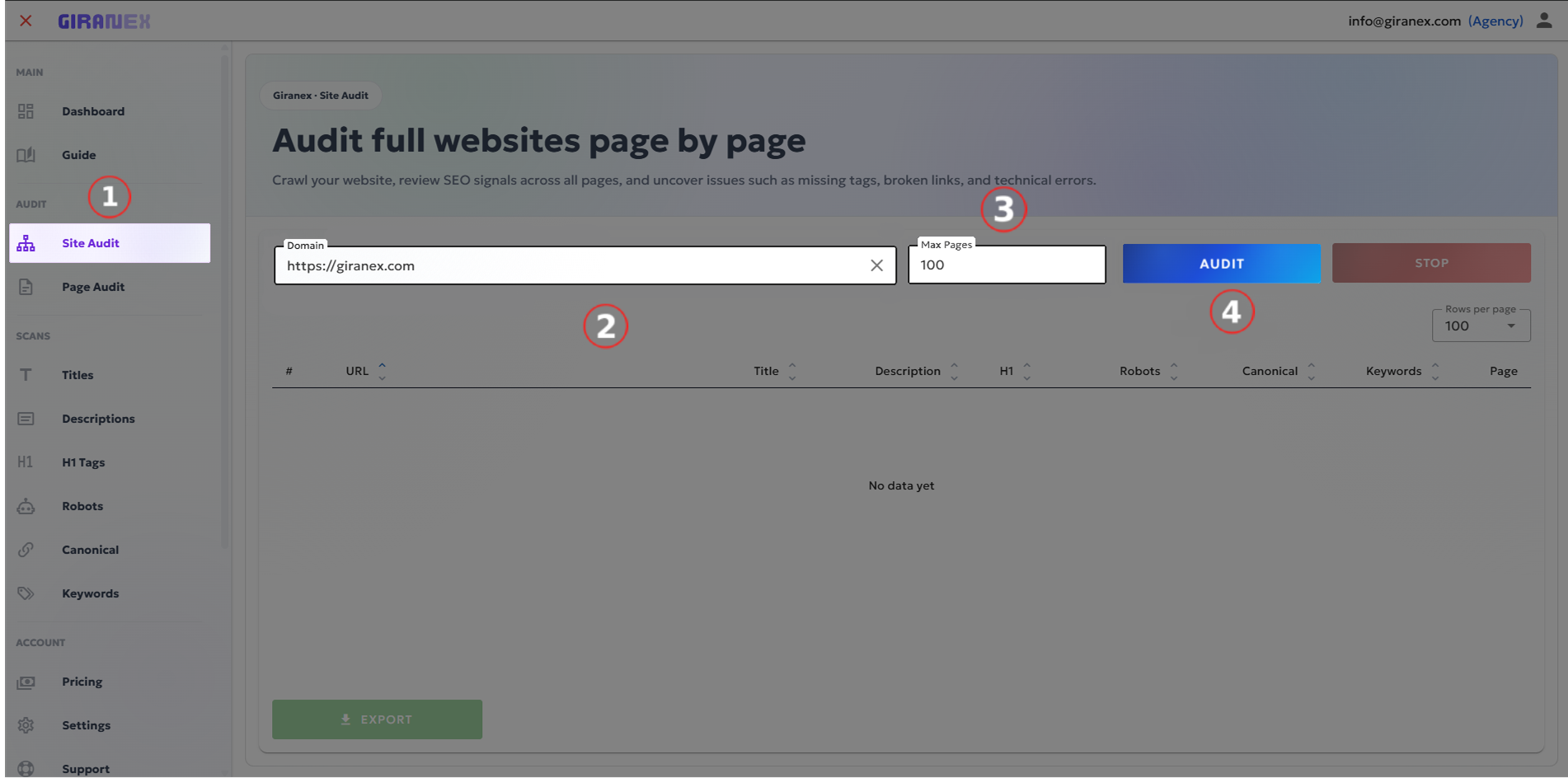
Go to Site Audit & Enter Settings and start a Site Audit
Open the Site Audit page, enter the website domain (e.g., giranex.com), and choose the maximum number of pages to crawl. Click the Audit button to start scanning the website and collect SEO data.
02
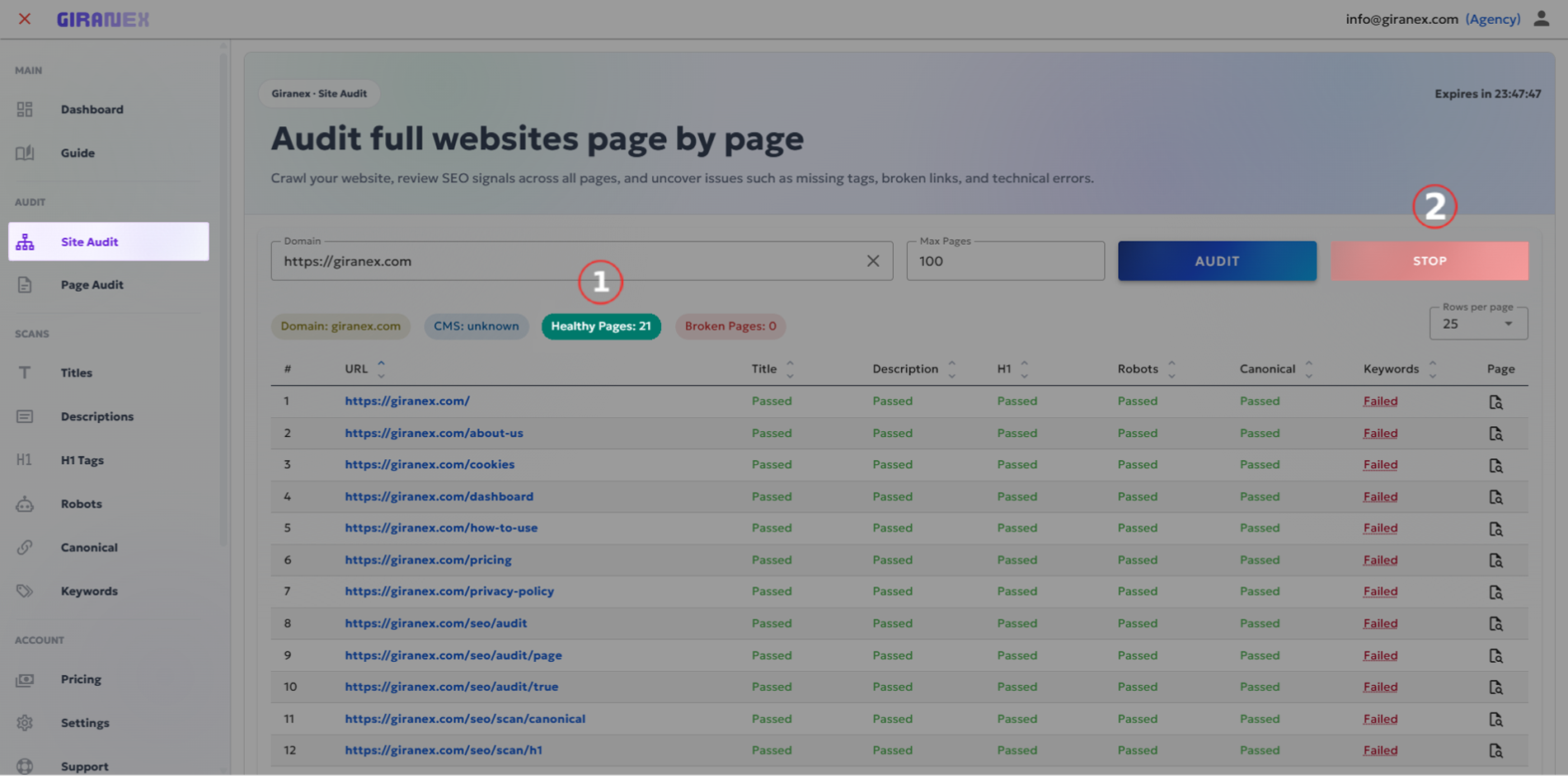
Stop or Wait for Completion
Click Stop anytime or wait until the audit finishes.
03
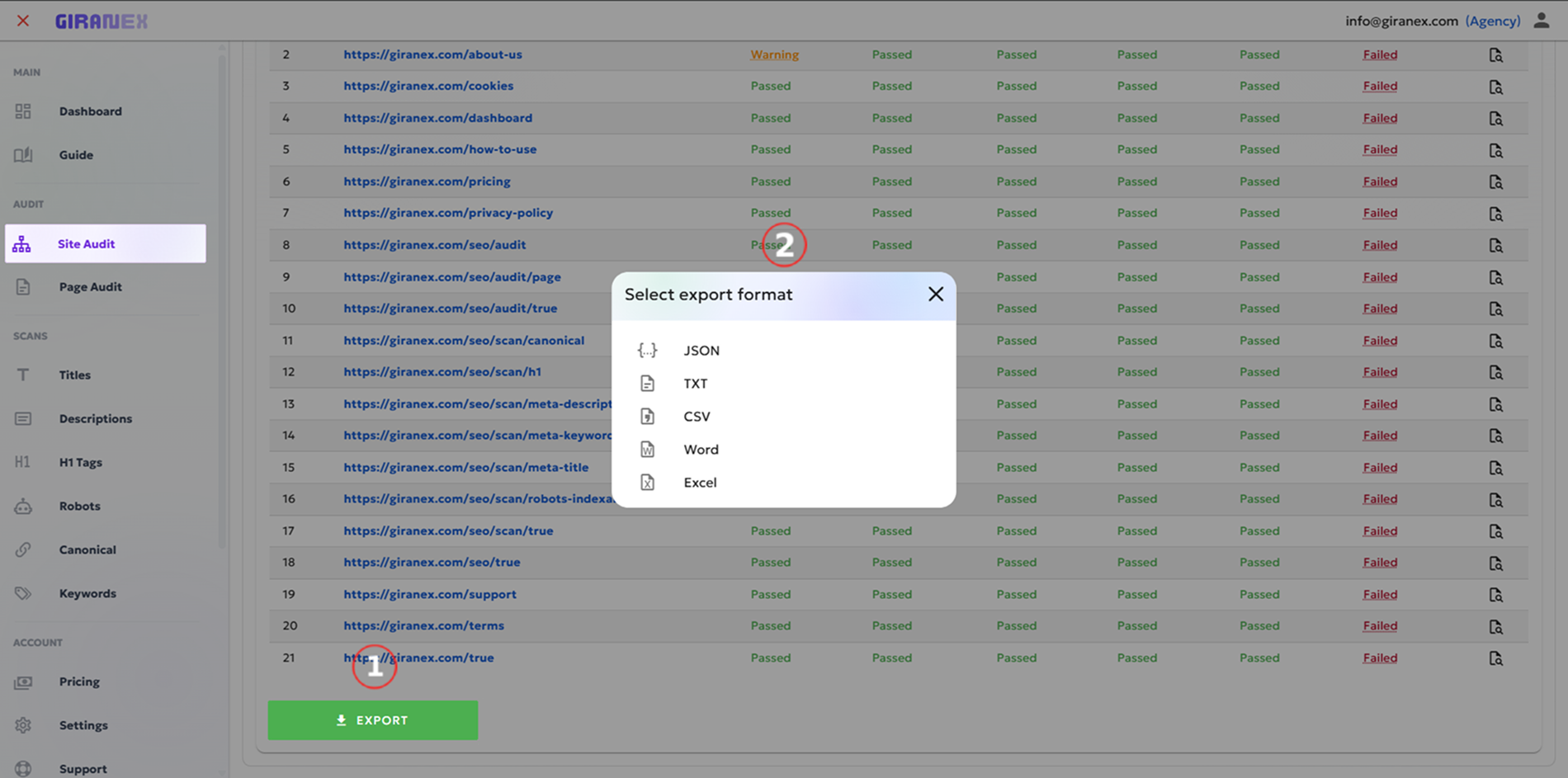
Export SEO Data
Download results in your preferred format.
04
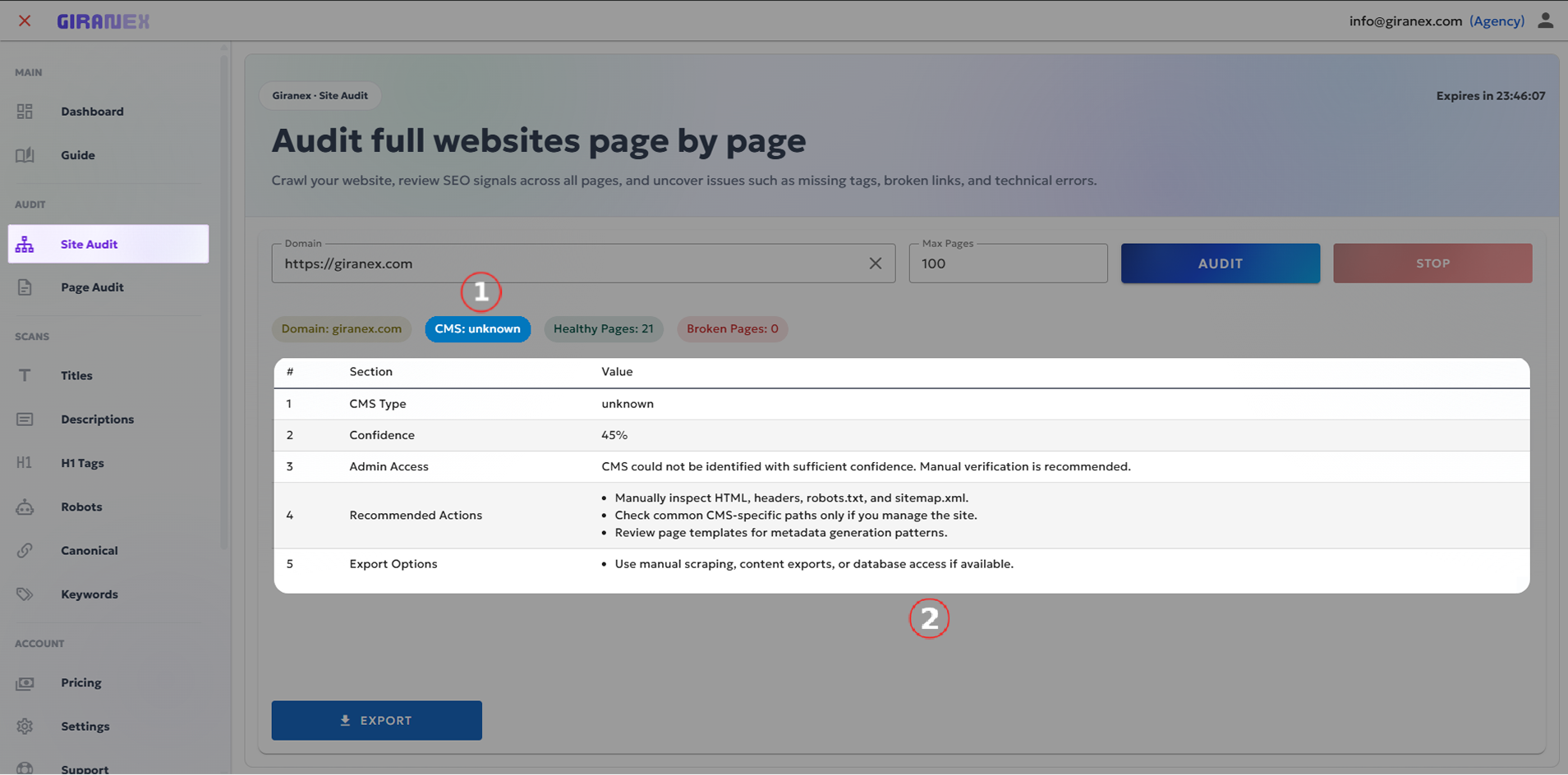
Open CMS Recommendations
View recommendations for your CMS.
05
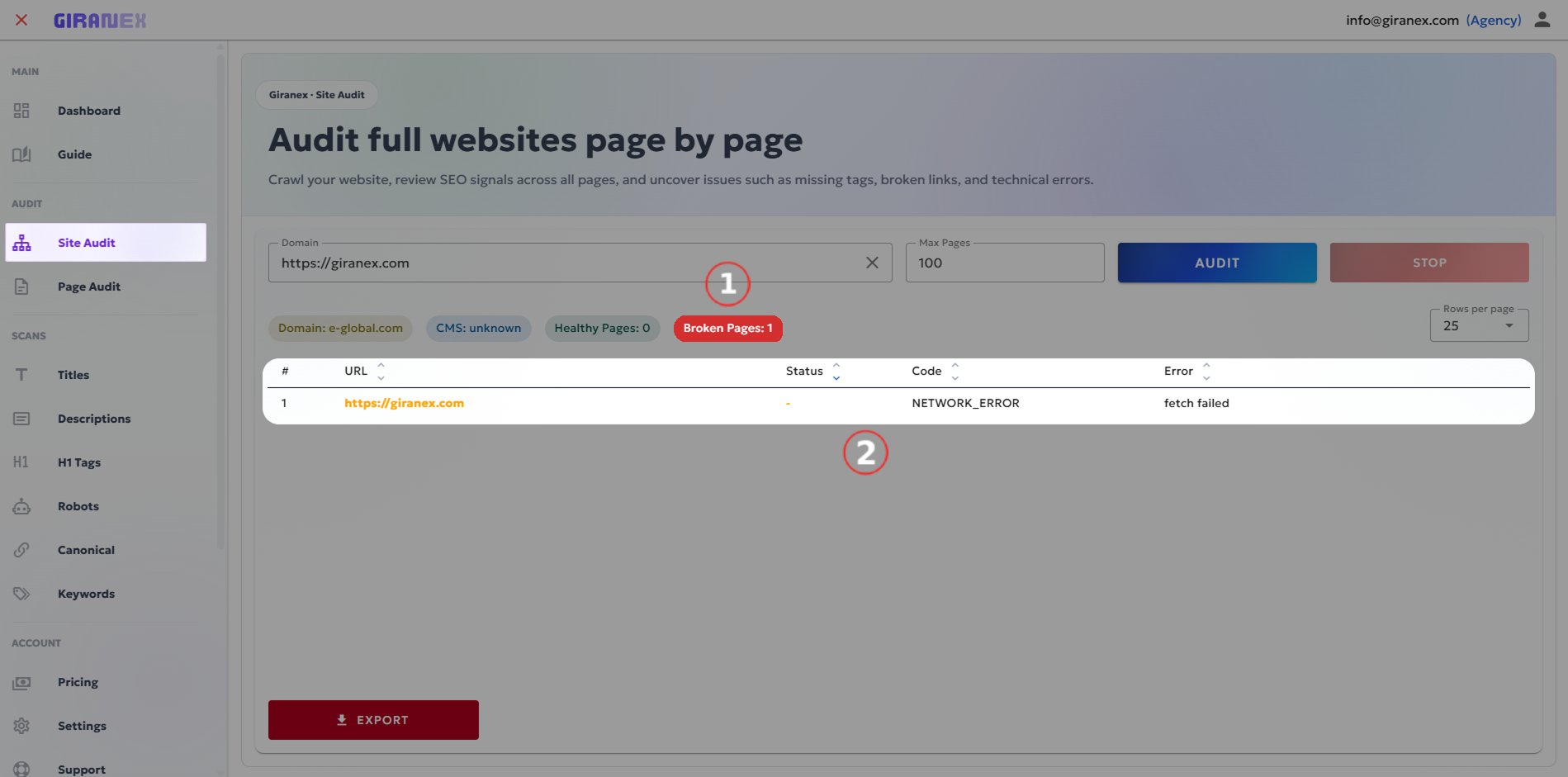
Open Broken Pages
Click Broken to view pages with issues.
06
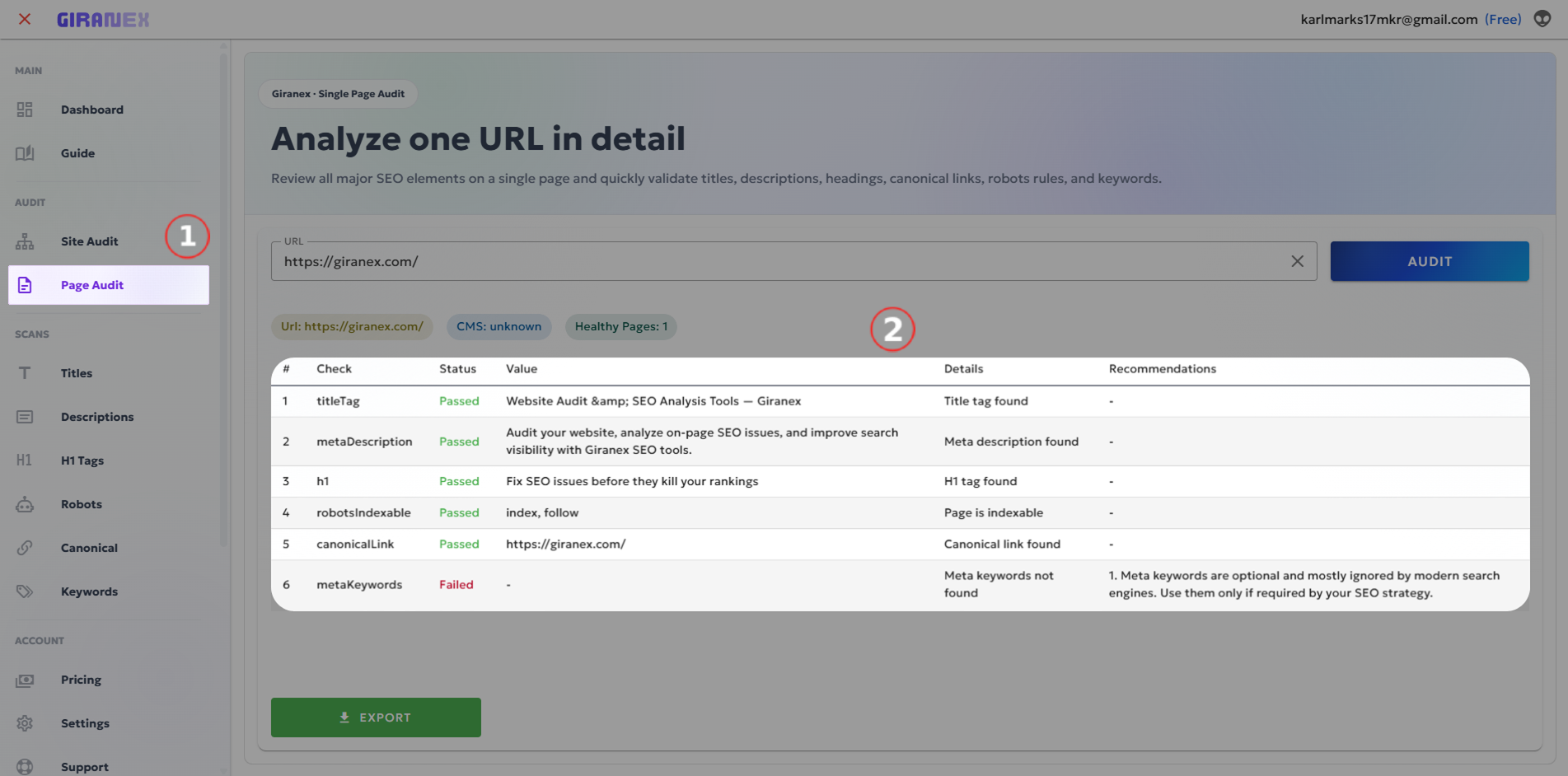
Open Single Page Audit
Click any page to analyze it in detail.
07
Track All Processes
View all running and completed Site Audits, Single Page Audits, and Scans in one place.